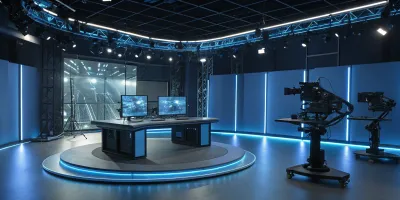
Virtual Scouting: Exploring Digital Sets Before the Shoot
Image source: How Unreal Engine for Virtual Production Is Remaking Film - Arctic7
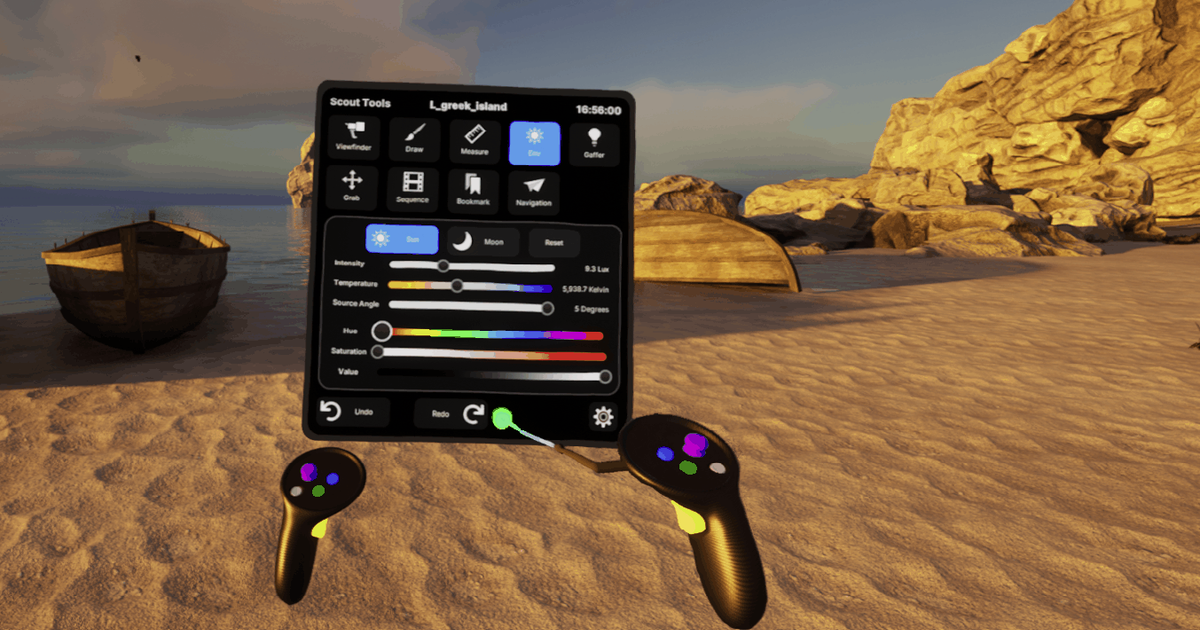
Image source: Virtual Scouting in Unreal Engine | Unreal Engine 5.6 Documentation | Epic Developer Community
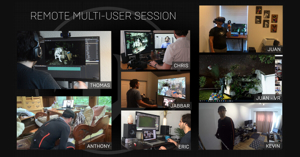
Image source: Unreal Engine delivers new methods for collaborative filmmaking—even from home
Virtual scouting: exploring digital sets before the shoot
Virtual scouting lets a film crew walk through a digital set before filming, so sightlines, scale, and layout are discovered while the scene is still cheap to change. Directors, cinematographers, and production designers use it to test compositions, plan blocking, and make set-design decisions together. 1, 2
How the process works
A team first builds a 3D environment or captures a real location for remote review. They then explore it—often in VR—testing where performers and cameras might go, checking distances, and moving digital set elements. Images or marked areas from the session can carry those decisions into shot planning and set construction. 1, 2
flowchart LR A["Build or capture a location"] --> B["Explore the digital set"] B --> C["Test framing, blocking, and scale"] C --> D["Revise the set and record decisions"] D --> E["Plan the physical shoot"]A virtual scout is most useful when the spatial relationships of a scene matter as much as the dialogue. Narrow hallways, stair landings, cramped apartments, car interiors, and large practical sets all benefit from early camera testing because lens choice, headroom, and performer movement can be judged before anything is built or booked.
In practice, the session usually starts with a broad walk-through to understand the space, then moves into specific shot problems. A cinematographer may check whether a 35 mm lens feels too wide in a tight room, whether a doorway can hold two-frame blocking without cropping, or whether a low angle will expose ceiling issues. A production designer may use the same pass to see which walls need to be removable, where windows should sit, and what parts of the set must remain camera-friendly.
For example, a crew considering a narrow corridor scene can check whether its planned camera angle gives a clear view of the action, then adjust the corridor design or shot before committing to the build. The value is not that the digital walkthrough replaces an on-set technical check; it is that creative questions can be raised and resolved earlier. Epic distinguishes this scouting stage from techvis, which works out practical requirements such as whether equipment will fit in a location. 1
What virtual scouting is good for
Virtual scouting is strongest when the scene depends on blocking, composition, and continuity between several setups. It helps answer questions like:
- Where does the camera actually have room to move?
- Does the master shot establish the geography clearly?
- Can two actors cross without obscuring the key action?
- Does a doorway, window, or prop create the right frame within the frame?
- Will the set still work when the lighting package, flags, and rigging are added?
Because the environment is digital, the team can test multiple versions of the same scene in minutes. A wall can be moved, a window height can be changed, or a practical object can be removed and the effect reviewed immediately. That makes it especially useful during early preproduction, when layout decisions are still fluid.
What virtual scouting is not
Virtual scouting is not a substitute for a final stage walkthrough, a location tech scout, or a camera-and-grip feasibility pass. Digital spaces can make tight areas feel larger than they are, hide set-assembly problems, and understate the amount of room required for stands, cables, dolly track, and crew circulation.
It also does not solve lighting on its own. A set may look excellent in the virtual environment while still being difficult to light cleanly in real life because of ceiling height, bounce surfaces, daylight control, or practical fixture placement. The most reliable approach is to treat the virtual scout as an early decision-making tool and the physical scout as the confirmation step.
Good workflow habits
A virtual scout becomes more valuable when it is treated as a production meeting with spatial data, not as a casual walkthrough. Common habits include:
- Start with the most important scene beats, not the whole world.
- Lock the scale of doors, furniture, and human figures before discussing shots.
- Save screenshots or annotated views of promising angles.
- Mark camera positions, lens notes, and blocking ideas directly in the session.
- Compare at least one wide establishing setup with one or two tighter coverage options.
- Revisit the digital set after design changes so old assumptions do not survive into construction.
Teams working in virtual production pipelines often use the same environment for both scouting and later previz, which keeps the visual language consistent between departments and avoids re-creating the same geography in separate tools.