
Mastering Lighting Techniques for Green Screen and Chroma Key Success
Achieve flawless green screen results with expert lighting techniques!
Image source: The Ultimate Green Screen Checklist for Filmmakers

Image source: Hodges’ Class - Lighting & Chroma Key
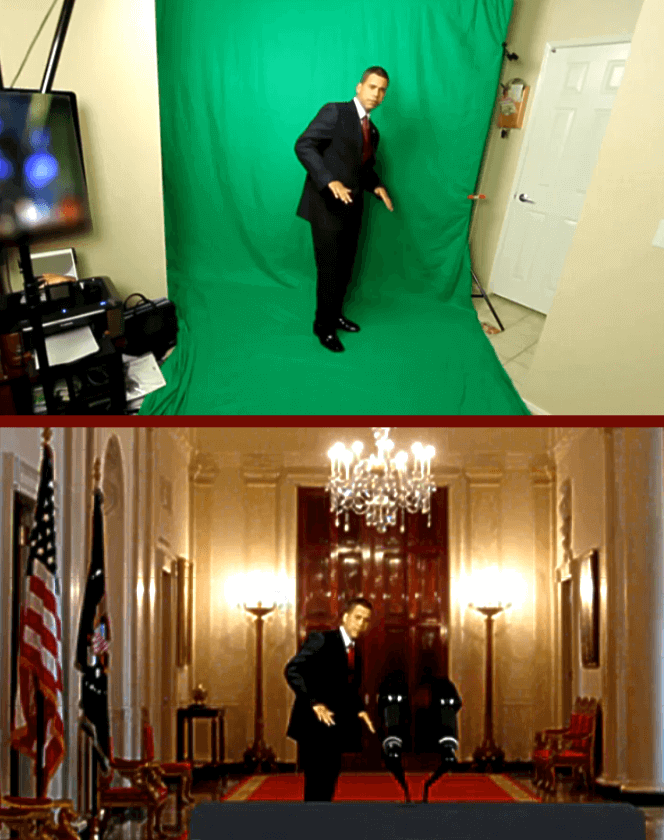
Image source: Chroma key
To get a clean chroma key, you need two separate lighting setups: one for the green backdrop (must be even) and one for your subject (must avoid green spill).
1. Lighting the Green Screen (Background)
The backdrop must be uniformly lit with no shadows, hot spots, or wrinkles.
- Use at least two soft, diffused lights positioned at 45° angles on each side of the screen. 1, 2
- Soft sources (LED panels with softboxes, fluorescent softboxes) minimize harsh shadows. 3, 4
- Check evenness through your camera before shooting—adjust until the entire screen is the same brightness. 2, 5
- Color temperature: Match the screen lights to your subject lights (typically 5,500K/daylight) to avoid color balance issues. 6, 1
2. Lighting the Subject (Foreground)
Light your subject separately from the backdrop using standard 3-point lighting.
- Key light (100% intensity): Main light on the subject’s face. 7
- Fill light (~50% intensity): Opposite the key to soften shadows. 7
- Backlight/Rim light (~20% intensity): From behind to create a rim of light and separate the subject from the background. 3, 7
- Avoid hair lights (backlights on the head) in most cases—they can create spill and complicate the key. 1
- Use soft key/fill lights with egg crates or grids to control spill and prevent green bounce. 2, 6
3. Critical Distance & Spill Control
- Keep your subject 5–10 feet (1.5–3 m) from the green screen. 1, 2, 3
- This prevents shadows on the backdrop and reduces green spill reflecting onto the subject.
- Use black flags or negative fill between subject and screen to block bounce light. 4
- Avoid reflective surfaces on set (clothing, props, jewelry) that can catch green reflections. 4, 2
4. Pro Tip: Chromatic Separation
Some professionals light the background cool (5,500K) and the subject warm (3,200K) to create chromatic separation, making the key cleaner. 6
5. Camera Settings
- Shoot at highest resolution (4K+ preferred) with a high-fidelity codec (ProRes 4:2:2 or better). 4
- Lock exposure and white balance—never use auto modes. 4
- Reduce motion blur by increasing shutter speed (add motion blur back in post if needed). 7, 4
- Use a narrow aperture (low f-stop) for shallower depth of field to keep the screen out of focus if needed. 7
Quick Setup Checklist
| Element | Requirement |
|---|---|
| Screen material | Clean, taut, non-reflective green fabric 2, 4 |
| Background lights | 2+ soft lights, evenly illuminated edge-to-edge 1, 2 |
| Subject distance | 5–10 feet from screen 1, 4 |
| Subject lighting | 3-point (key + fill + backlight), separate from background 7, 4 |
| Color temp | Match OR use cool background/warm subject for separation 1, 6 |
| Camera | Locked exposure/white balance, 4K+, ProRes 4:2:2 4 |
References
-
How Do You Light A Chroma Key Screen Correctly? - Graphic Design Nerd
-
The Green Screen Tutorial for Absolute Beginners - Lighting … - LIV