Articles
All articlesTools, not pixels
Bogdan Sevriukov ·
In 2011 my team and I built an AI that turned a typed scene into a film that a professional could still change. Pixel models cannot do that. Here is what I build now: an atlas of 19 schools of the moving image, and an AI director that learns from it.
Pixels are not a world
In February 2024 OpenAI called video models “a promising path towards building general purpose simulators of the physical world”. One of the two leads of Sora, OpenAI’s video model, wrote that they were “pursuing AGI by simulating everything”. The message was simple: a model that makes realistic video must understand how the world works.
The tests said no. On the Physics-IQ benchmark, Sora’s clips looked better than those of the other seven models, and its physics score was the lowest. The authors’ conclusion: “visual realism does not imply physical understanding”. Another team trained video models on simple moving balls. The models did not learn the rules of motion. They copied the nearest example they had seen, and matched it by colour before size, speed and shape. The AI researcher Yann LeCun put it in one line: “if your purpose is to understand how the world works, it’s a losing proposition.” In 2026 OpenAI closed Sora: the app in April, the API in September.
For a professional the problem is simpler. A pixel model gives you the finished frames and nothing in between: no set, no camera, no cut that you can change. If one detail is wrong, you generate the whole shot again and hope. That costs money, time and creative fuel. No artist can work this way.
I built the other kind
Before a film is shot, its scenes are often played out in rough 3D. This is called previs, and in Hollywood one previs package can cost up to half a million dollars. In 2011 my team and I built FilmLanguage for Bazelevs, a Hollywood film company, to make that scene from the script itself. I was the CTO of its AI start-up, which later merged into Facebook.
You typed a scene — who is there, what they say, what they do — and a few minutes later you watched it play. The actors moved, the camera found them, and the film cut on its own. But the result was not a picture. It was a scene: the set, each actor, each camera and each cut stayed separate. A professional could open it, throw out what was wrong, keep the rest, and save hours. That is exactly what pixels never give.
We also took it to television. On Viacom’s Paramount Comedy channel, viewers typed their own scenes and got their own cartoons in a few minutes.
More than a hundred people tested FilmLanguage, most of them film and TV professionals. They did not ask for more automation. They asked for manual cameras and their own editing. That was the lesson I kept: the machine prepares the scene, and the professional keeps the controls.
A typed script could become a whole episode. We made the pilot of a cartoon series about Putin for the TV channel TV Rain. It was never aired: the people behind it were afraid for their lives. I published it myself. In Silicon Valley, the tech site Gigaom called FilmLanguage “the most original idea” of a start-up road show.
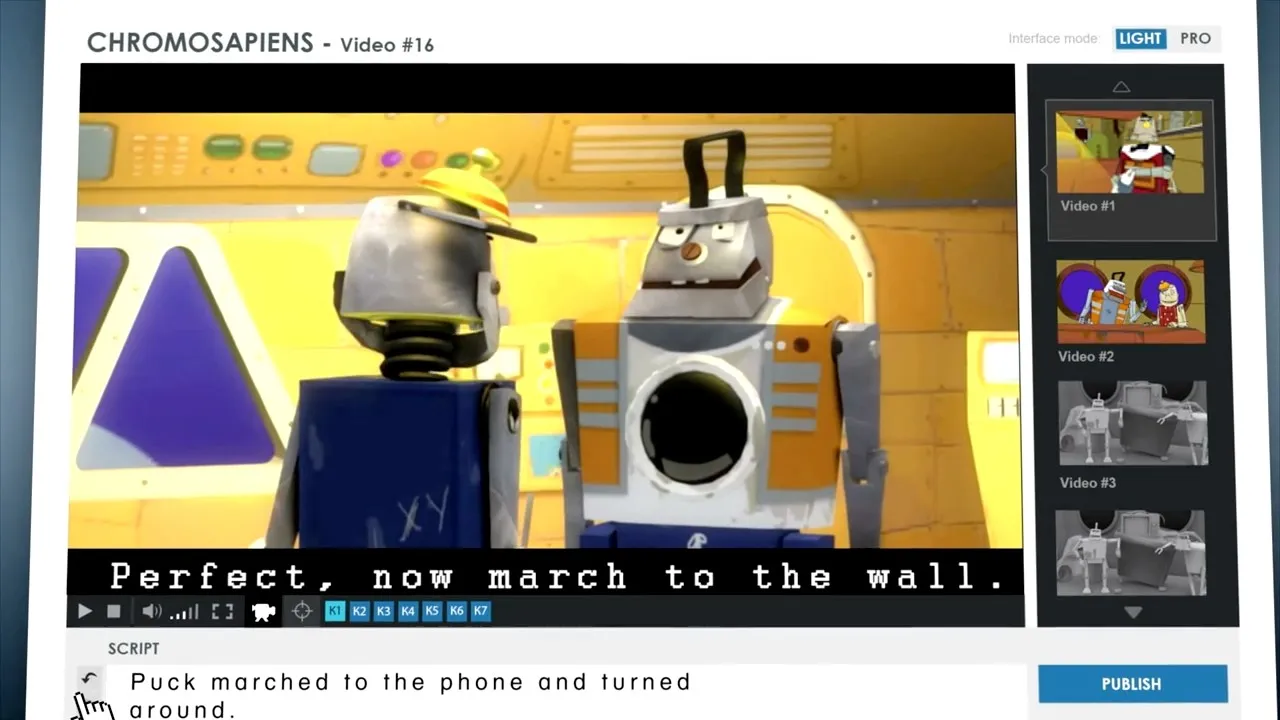 FilmLanguage demo, October 2012. 1:54
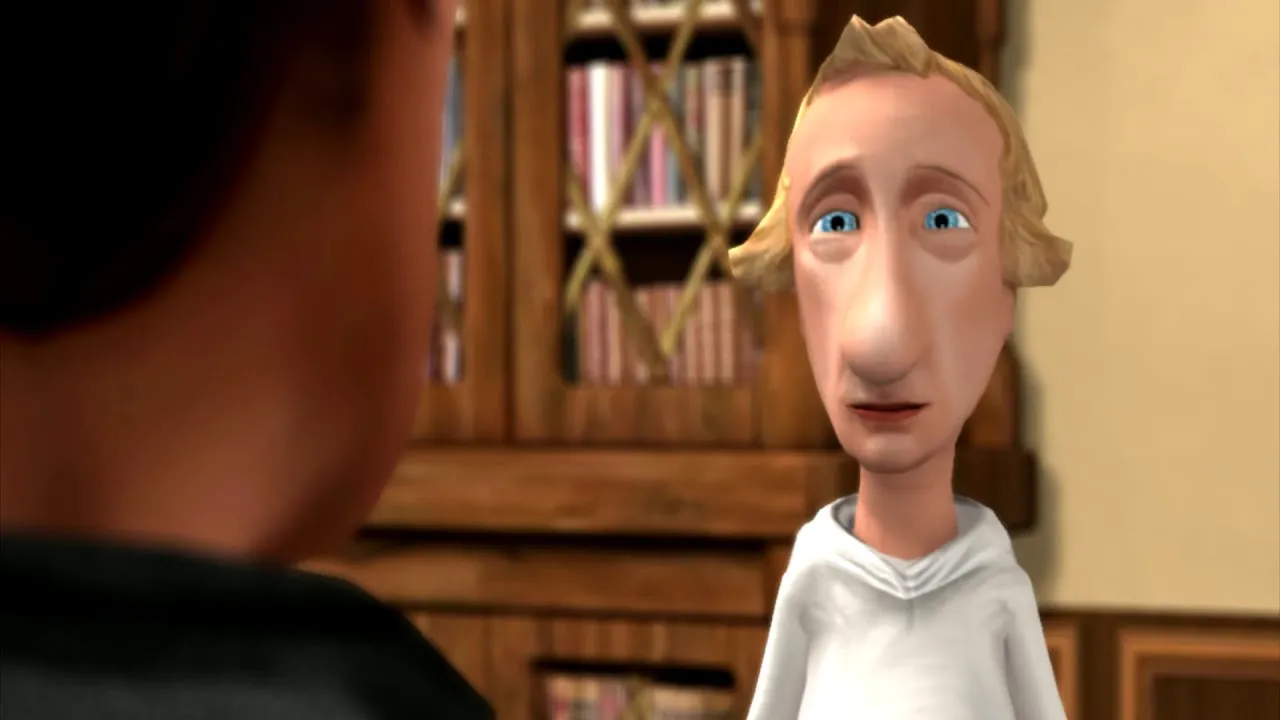 An animated series about Putin, made with FilmLanguage for TV Rain: the pilot episode, never aired. 3:07, Russian
I never left this problem. After Bazelevs I went back to the weak spots of FilmLanguage, one by one: the libraries of objects, and the way characters move. This June I put the pieces together into a new director, and I began with a map of what a film can look like.
The atlas
I know that automated creativity has limits. A machine leaves its own traces in what it makes, and a person must still refine the result. So I did not start from what the machine can do. I started from the schools of the moving image that I love, the places where human taste meets machine tools. Most of them do not try to look real: they keep the jitter of a physics simulation, the mistakes of a video codec, flat ink on 3D shapes, or the narrow palette that a hard limit forces on the artist. Artists have proven these looks for decades. In them a flaw is not a defect but the style, so the traces of a machine can become part of the look. That was the starting point of my research.
The atlas maps these schools. It holds 19 schools of the moving image that are made with code and software: procedural simulation, demoscene shaders, Houdini effects, game-engine cinema and virtual production, glitch, motion-graphics titles, isometric dioramas and more. For each school it shows what the school is, how it is made, where it comes from, its artists, example frames, and the tools behind it: more than 220 artists and more than 570 frames.
Open any frame at full size. The atlas is for studying the details: the light, the edges, the grain, the type. One school is AI latent diffusion. It is in the atlas because it is a real medium with real artists. It is marked “ruled out” for my own films: its output is pixels with no scene behind them.
The atlas: https://tothecut.com/atlas/
The director
The student of the atlas is my AI director. Tools, not pixels: it does not ask a model for pixels. It makes films with the computers you already have. It reads the story and chooses the look that serves it. Then it checks what your machine can really do and which programs are on it, and adds the free tools that it is missing. For each school, the atlas also names the tools that its artists use: more than 150 of them. The director reads that list and works with the programs that it finds on your machines, also programs that the atlas does not name. In 3D, animation and motion capture: Houdini, Maya, 3ds Max, Cinema 4D, Blender, MotionBuilder, Cascadeur, Modo, LightWave, ZBrush, Marvelous Designer, Daz Studio, iClone, Character Creator and Mixamo. In simulation: EmberGen, LiquiGen, RealFlow, Phoenix FD, tyFlow and X-Particles. In texturing and worlds: Substance Painter, Substance Designer, Mari, SpeedTree, Gaea, World Creator, Terragen and Vue. In rendering: Octane, Redshift, Arnold, V-Ray, Corona, RenderMan, Karma, KeyShot, Katana and Clarisse. In real time and game engines: Unreal Engine, Unity, Godot, TouchDesigner, Notch, Smode, vvvv and Resolume. In 2D and motion design: After Effects, Cavalry, Toon Boom Harmony, Moho, Spine, Adobe Animate, Character Animator, Rive, Lottie and Spline. In compositing, editing and finishing: Nuke, Fusion, DaVinci Resolve, Premiere Pro, Final Cut Pro, Avid Media Composer, Mocha Pro, Red Giant, Photoshop, Illustrator, Affinity, Krita and Figma. In creative code: Processing, p5.js, openFrameworks, Three.js, WebGL and GLSL shaders. In sound: Ableton Live, Logic Pro, Pro Tools, Cubase, FL Studio, Bitwig, Reaper, Max/MSP, Pure Data, SuperCollider, Sonic Pi, Audacity, Wwise and FMOD. With free tools alone, such as a web browser, Python, FFmpeg and Blender, it can still make a striking film: one of the first films I liked was made in code on a plain laptop. On a studio setup, it gets more out of the professional programs that are already there. What stays behind is not only a video file. It is the project, which a person can open in the same programs, change, and render again. It is the lesson of 2011 again: the machine prepares the scene, and the professional keeps the controls.
The first films that I liked came in July. Here is one of them. A florist lets an AI helper work in her shop, one lit tile at a time, as it earns her trust.
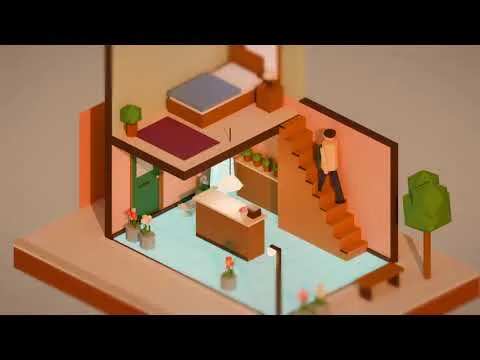 "The floor she gives", 36 s. Made by the AI director in Blender and After Effects; the sound is generated from code.
Another one, in a very different look: “Strings”.
No creative process without limits
My next step is the one I care about most. There is no creative process without limits. Today the director knows one computer and one render PC. Next it must see a whole network of machines, list what is really there and what it costs, and make the film inside those limits, as every good crew does. A limit is not a problem to hide: in many schools of the atlas, a limit is where the style was born.
A good film is hard to make, with or without AI. You must choose the look that serves the story, know what your machines and your budget can make, and keep a way for a person to take over. I build the director for these three questions.
Who this is for
For professionals who want tools that help them and do not replace them. For everyone who wants to see quickly what they can make with what they already have.
I do this work at To The Cut, together with Gobeau, our shot library. The florist film is also about trust in an AI helper. That trust is the work of Comprenders, one agentic AI platform of digital humans, which I build too.
The atlas is open: start with any school. I will publish the director’s next films here as it learns.
The atlas · Gobeau, our shot library · tothecut.com · comprenders.com